Know your hardware. Score your marks.
Hardware is one of the most heavily tested areas on IGCSE Computer Science Paper 1. The good news: it is concrete. No abstract theory. Real components doing real jobs. Learn what each part does, know how to compare them, and you pick up marks fast.
This article covers everything you need: computer architecture, input/output devices, data storage, and network hardware. Each section is built around what Cambridge actually asks in exams.
Computer Architecture: The Von Neumann Model
Every modern general-purpose computer follows the Von Neumann architecture. One principle: stored program concept. Instructions and data share the same memory. The CPU fetches instructions from memory, decodes them, executes them. That cycle repeats billions of times per second.
CPU Components
The CPU has two main units and several registers. Know every one of these for your IGCSE exam.
| Component | Full Name | Role |
|---|---|---|
| ALU | Arithmetic Logic Unit | Performs all arithmetic (add, subtract) and logic (AND, OR, comparisons) operations |
| CU | Control Unit | Directs the flow of data, decodes instructions, sends control signals to other components |
| MAR | Memory Address Register | Holds the address of the memory location being read from or written to |
| MDR | Memory Data Register | Holds the data fetched from memory or data to be written to memory |
| ACC | Accumulator | Stores the result of calculations performed by the ALU |
| PC | Program Counter | Holds the address of the next instruction to be fetched |
| CIR | Current Instruction Register | Holds the instruction currently being decoded and executed |
The Fetch-Decode-Execute (FDE) Cycle
This is a guaranteed exam topic. Learn these steps cold.
- FETCH: The address in the PC is copied to the MAR. The instruction at that memory address is fetched and placed in the MDR. The PC is incremented by 1 (pointing to the next instruction).
- DECODE: The instruction in the MDR is copied to the CIR. The Control Unit decodes the instruction, determining what operation to perform and what data is needed.
- EXECUTE: The decoded instruction is carried out. This may involve the ALU performing a calculation, data being read from or written to memory, or an input/output operation.
The cycle then repeats. Every instruction your computer runs goes through these three stages.
CPU Performance Factors
Three factors affect how fast a CPU processes instructions:
- Clock speed - measured in GHz. Higher clock speed means more FDE cycles per second. A 3.0 GHz processor completes roughly 3 billion cycles per second.
- Number of cores - each core can process its own FDE cycle independently. A quad-core processor can handle four instructions simultaneously. More cores means better multitasking.
- Cache size - small, fast memory built into the CPU. Stores frequently used instructions and data. Larger cache means fewer slow fetches from RAM.
Instruction Sets and Embedded Systems
An instruction set is the complete collection of machine-code instructions a CPU can understand and execute. Different processors have different instruction sets.
Embedded systems are computers built into other devices for a dedicated purpose. A washing machine controller, a traffic light system, a car engine management unit. They run a fixed program, have limited processing power, and are not general-purpose. They use ROM to store their program permanently.
Input and Output Devices
The exam tests two things here: knowing what each device does, and choosing the right device for a given scenario.
Input Devices
| Device | What It Does | Typical Use |
|---|---|---|
| Keyboard | Enters text and commands via key presses | Data entry, word processing |
| Mouse / Trackpad | Moves a pointer; detects clicks and movement | Navigation, selecting on-screen items |
| Touchscreen | Detects finger position and gestures on display | Smartphones, kiosks, ATMs |
| Microphone | Converts sound waves into digital signals | Voice recording, voice recognition |
| Scanner | Converts physical documents/images into digital form | Digitising paper records |
| Barcode reader | Reads data encoded in barcodes using laser/LED | Supermarket checkout, stock management |
| QR code reader | Reads 2D codes storing more data than barcodes | Ticketing, website links, payments |
| Sensors | Measure physical quantities (temperature, pressure, light, moisture, pH, gas) | Greenhouses, weather stations, burglar alarms |
Output Devices
| Device | What It Does | Key Details |
|---|---|---|
| LCD/LED monitor | Displays visual output using liquid crystal or LED backlighting | Standard for desktops and laptops |
| OLED screen | Each pixel produces its own light; deeper blacks, thinner displays | Smartphones, high-end monitors |
| Inkjet printer | Sprays tiny droplets of ink onto paper | Good colour quality, slow, expensive ink |
| Laser printer | Uses heat and toner powder fused onto paper | Fast, low cost per page, ideal for high volume |
| 3D printer | Builds 3D objects layer by layer from material (plastic, resin, metal) | Prototyping, manufacturing, medical models |
| Speaker | Converts digital signals to sound waves | Audio playback, alerts |
| Actuator | A motor or mechanism that produces physical movement | Opening a valve, moving a robotic arm, adjusting a vent |
Data Storage
Primary Storage: RAM vs ROM
| Feature | RAM | ROM |
|---|---|---|
| Volatile? | Yes - loses data when power is off | No - retains data permanently |
| Read/Write? | Read and write | Read only (written once during manufacture) |
| Purpose | Stores currently running programs and data | Stores the boot-up instructions (BIOS/firmware) |
| Speed | Very fast | Fast |
| Size (typical) | 4 GB - 64 GB | A few MB |
Secondary Storage Types
Secondary storage is non-volatile. Data persists when power is off. Three main types:
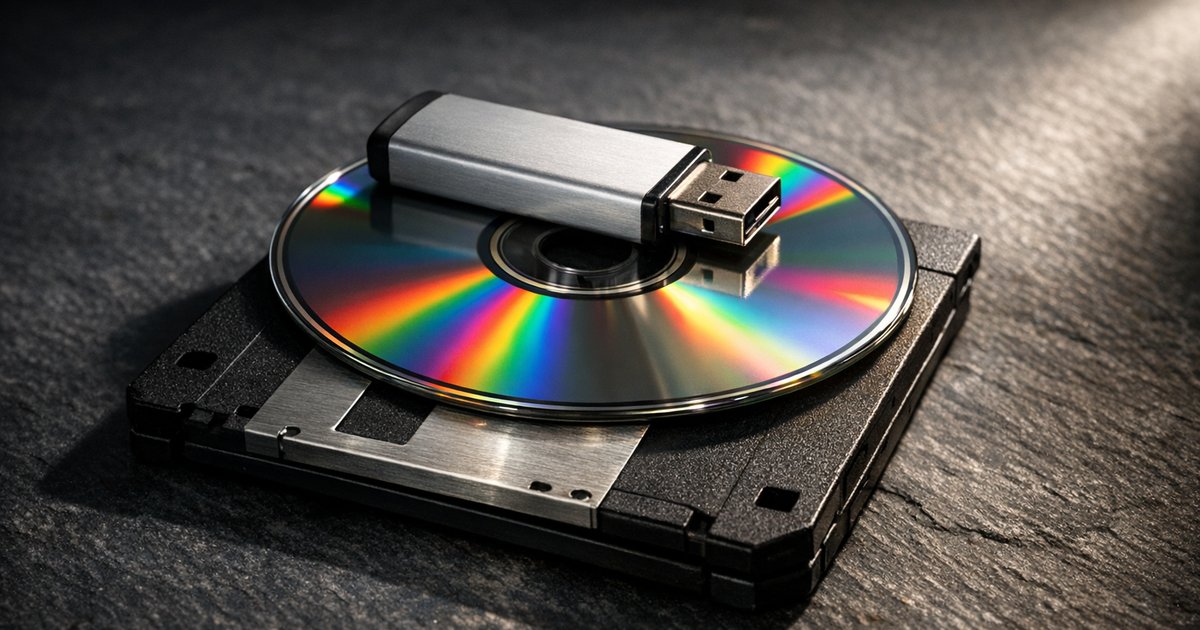
Magnetic storage (HDD): Data stored on spinning platters using magnetised spots. Read/write head moves across the surface. High capacity, low cost per GB. Fragile due to moving parts. Slower than solid-state.
Optical storage (CD, DVD, Blu-ray): Data stored as pits and lands on a disc surface, read by a laser. CDs hold about 700 MB, DVDs about 4.7 GB, Blu-rays about 25 GB. Portable and cheap. Slow access speed. Easily scratched.
Solid-state storage (SSD, USB flash drive): Data stored in flash memory chips with no moving parts. Very fast read/write speeds. Durable and portable. More expensive per GB than magnetic. SSDs are replacing HDDs in most laptops.
Comparing Storage Media
| Factor | HDD | SSD | Optical | USB Flash |
|---|---|---|---|---|
| Capacity | Very high (up to several TB) | High (up to several TB) | Low (700 MB - 25 GB) | Medium (up to 1 TB) |
| Speed | Moderate | Very fast | Slow | Fast |
| Portability | Low (bulky, fragile) | Moderate (internal) to High (external) | High | Very high |
| Durability | Low (moving parts) | High (no moving parts) | Low (scratches) | High |
| Cost per GB | Very low | Higher | Very low | Moderate |
Virtual Memory and Cloud Storage
Virtual memory: When RAM is full, the operating system uses a section of the hard drive as an extension of RAM. Data that is not currently needed is swapped from RAM to virtual memory. This allows more programs to run simultaneously. The trade-off: hard drive access is much slower than RAM, so heavy use of virtual memory causes the system to slow down (called "thrashing").
Cloud storage: Data stored on remote servers accessed via the internet. Files available from any device with a connection. The provider handles backups and security. Risks: requires internet access, potential privacy concerns, ongoing subscription costs. Benefits: no local hardware failure risk, easy sharing and collaboration, scalable capacity.
Network Hardware
Every network relies on specific hardware to move data between devices. Know the role of each component.
| Device | Role |
|---|---|
| NIC (Network Interface Card) | Allows a device to connect to a network. Each NIC has a unique MAC address. Can be wired (Ethernet) or wireless. |
| Router | Directs data packets between different networks. Uses IP addresses to determine the best path for data. Connects a LAN to the internet. |
| Switch | Connects devices within a single network. Sends data only to the specific device it is addressed to (using MAC addresses). More efficient than a hub. |
| Hub | Connects devices within a network but broadcasts data to ALL connected devices, not just the intended recipient. Less efficient and less secure than a switch. |
| WAP (Wireless Access Point) | Allows wireless devices to connect to a wired network. Converts between wired and wireless signals. |
| Modem | Converts digital data from a computer into analogue signals for transmission over telephone lines, and vice versa. Stands for modulator-demodulator. |
Worked Exam-Style Questions
Question 1 (4 marks)
Describe the steps of the fetch-decode-execute cycle.
The address of the next instruction is held in the Program Counter (PC). [1] This address is copied to the MAR, and the instruction stored at that address in RAM is fetched and placed in the MDR. [1] The PC is incremented. The instruction is then copied from the MDR to the CIR, where the Control Unit decodes it to determine what action is required. [1] The instruction is executed, which may involve the ALU performing a calculation or data being transferred to/from memory. [1]
Question 2 (6 marks)
A school wants to set up a computer network. Describe three pieces of network hardware the school would need and explain the role of each.
Router - directs data packets between the school's local network and the internet, using IP addresses to route packets to their correct destination. [2]
Switch - connects all the computers, printers and other devices within the school network and sends data only to the intended recipient device using its MAC address. [2]
WAP (Wireless Access Point) - allows laptops, tablets and phones to connect to the school network wirelessly, converting between wired and wireless signals so devices do not need a physical cable connection. [2]
Common Mistakes
These errors appear in examiner reports year after year. Avoid them and you are already ahead.
| Mistake | Correction |
|---|---|
| Saying RAM "stores data permanently" | RAM is volatile. It loses all data when power is switched off. |
| Confusing a switch and a router | A switch connects devices within ONE network. A router directs traffic BETWEEN networks. |
| Saying "the CPU stores data" | The CPU processes data. RAM and registers store data. The CPU fetches from RAM, processes it, and writes results back. |
| Describing the FDE cycle without naming registers | Always name the PC, MAR, MDR, and CIR. Vague answers like "the CPU gets the instruction" lose marks. |
| Mixing up input and output devices | Input sends data TO the computer. Output receives data FROM the computer. A touchscreen is both. |
| Saying SSD has "no disadvantages" | SSDs cost more per GB than HDDs and have a limited number of write cycles. |
Self-Check Questions
Test yourself. If you cannot answer these without looking back, revise that section again.
- Name the five key registers in the Von Neumann CPU and state the purpose of each.
- A farmer uses a computer system to monitor and control conditions in a greenhouse. Identify two suitable input devices and one output device for this system, and justify each choice.
- Compare an HDD and an SSD. Give two advantages and one disadvantage of using an SSD instead of an HDD.
- Explain the difference between a switch and a hub. Why is a switch preferred for a school network?
- Describe what happens during each stage of the fetch-decode-execute cycle. Your answer should reference specific registers.

Complete revision notes on Hardware for Cambridge IGCSE Computer Science (0478), covering computer architecture, the FDE cycle, CPU registers, input/output devices, data storage types, and network hardware. Packed with comparison tables, worked exam answers, and common mistake corrections to help you score maximum marks on Paper 1.



Sharhi(ko)